Choco Editable Text Effect Mockup: A Practical Guide for Designers
In the fast-paced world of digital design, efficiency and visual impact are paramount. Designers often seek tools that bridge the gap between complex 3D rendering and quick turnaround times for client deliverables. The Choco Editable Text Effect Mockup emerges as a specialized resource in this niche, offering a pre-rendered, chocolate-themed text style that can be customized with minimal effort. This article evaluates the utility, workflow, and strategic applications of this mockup to help designers determine if it aligns with their current project requirements.
Understanding the Choco Editable Text Effect Mockup
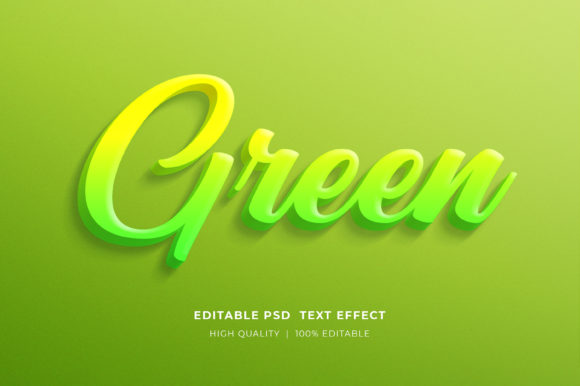
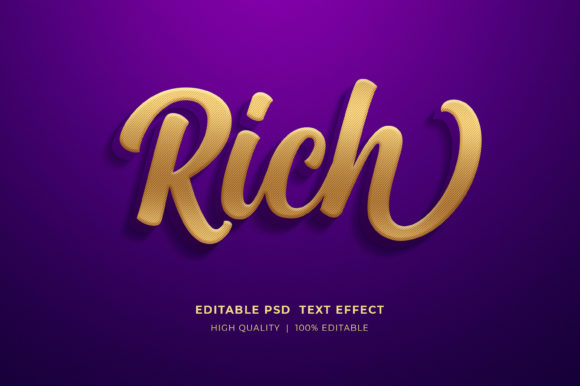
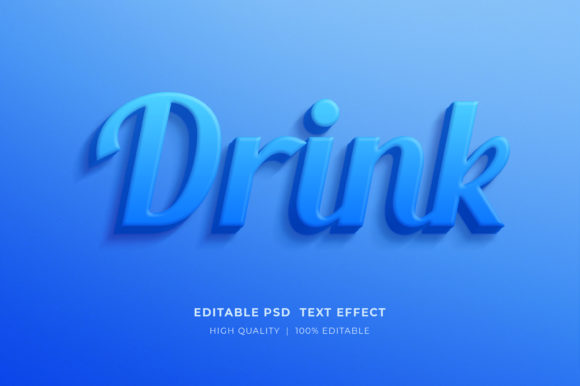
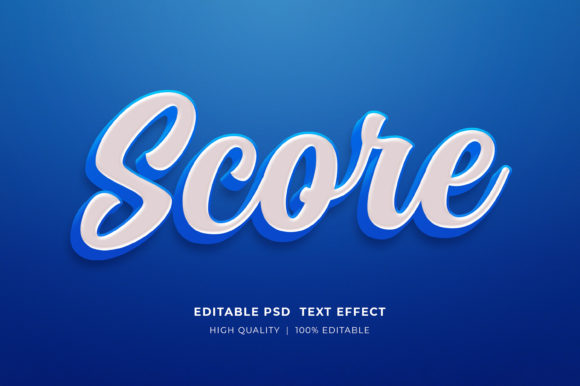
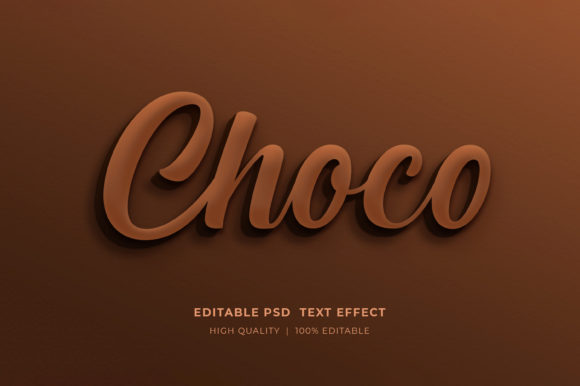
At its core, this asset is a high-resolution Adobe Photoshop file (PSD) utilizing Smart Object technology. Unlike standard static images, this mockup allows users to replace placeholder text with their own content while retaining the intricate lighting, shadows, and texture of the original 3D chocolate effect. The "Choco" aesthetic typically implies a rich, glossy, or textured appearance reminiscent of confectionery, which can evoke feelings of indulgence, warmth, and premium quality.
The primary value proposition lies in its editability. By leveraging Photoshop’s Smart Objects, the heavy lifting of 3D modeling, lighting setup, and texture mapping has already been completed. Users do not need advanced knowledge of 3D software like Blender or Cinema 4D to achieve a professional-looking result. Instead, they interact with a simplified interface within Photoshop, making high-end text effects accessible to graphic designers of varying skill levels.
Workflow and Ease of Use
One of the most critical factors when evaluating design assets is the learning curve and time investment required for implementation. The Choco Editable Text Effect Mockup is designed for streamlined integration into existing workflows. The process is straightforward:
- Extraction: The files are delivered in a compressed ZIP format. Users must right-click the folder and select “Extract Here” to access the PSD files. This is a standard procedure for digital assets but requires basic file management skills.
- Editing: Once opened in Adobe Photoshop, users locate the designated Smart Object layer. Double-clicking this layer opens a new tab.
- Customization: Using the Type Tool, users replace the default text with their desired copy. Upon saving and closing the Smart Object tab, the main document updates automatically to reflect the changes.
- Final Adjustments: Because the file is well-organized and layered, users can further tweak colors or elements if necessary, though the primary function is text replacement.
This non-destructive editing process ensures that the original integrity of the effect remains intact while allowing for rapid iteration. For professionals managing multiple client revisions, this speed is a significant advantage over building effects from scratch.
Strategic Applications and Use Cases
The versatility of the Choco Editable Text Effect Mockup makes it suitable for a wide array of marketing and design contexts. However, its effectiveness depends on aligning the visual style with the brand message. Here are several scenarios where this tool proves particularly useful:
- Food and Beverage Marketing: Naturally, the chocolate aesthetic is ideal for bakeries, confectionery brands, coffee shops, and dessert menus. It creates an immediate sensory connection with the audience.
- Social Media Content: Eye-catching visuals are crucial for engagement on platforms like Facebook, Instagram, and Pinterest. This mockup can be used to create compelling timeline covers, post headers, or promotional banners that stand out in crowded feeds.
- Print-on-Demand (POD) and Merchandise: For T-shirt designs, mugs, or tote bags, the 3D effect adds depth and perceived value. It is particularly effective for niche markets focused on food lovers or sweet-tooth themes.
- Packaging and Label Design: When designing labels for actual chocolate products or related goods, this mockup serves as an excellent presentation tool to visualize how branding will look in a realistic context.
- KDP Book Covers: Authors writing cookbooks, romance novels, or cozy mysteries may find this style appropriate for creating inviting and thematic cover art.
Benefits and Tradeoffs
When considering the adoption of this mockup, it is essential to weigh the benefits against potential limitations.
Key Benefits
Time Efficiency: Creating realistic 3D text effects manually can take hours. This mockup reduces that time to minutes, allowing designers to focus on layout and strategy rather than technical execution.
High Resolution and Quality: The files are typically provided in RGB color mode at high resolutions, ensuring clarity for both web and print applications. This flexibility supports diverse output needs, from digital banners to physical flyers.
Organization: A well-organized layer structure simplifies navigation, reducing frustration and errors during the editing process. This is particularly beneficial for designers who may need to hand off files to team members.
Considerations and Limitations
Software Dependency: This tool requires Adobe Photoshop. Designers using alternative software such as GIMP, Affinity Photo, or Canva will not be able to utilize the Smart Object functionality effectively. This limits its accessibility to those within the Adobe ecosystem.
Stylistic Specificity: While versatile within its niche, the chocolate theme is not universal. It may not suit corporate, tech, or minimalist brands. Designers must ensure the aesthetic aligns with the brand identity to avoid visual dissonance.
Customization Limits: While text and basic colors are editable, altering the fundamental shape or texture of the chocolate effect may require advanced Photoshop skills beyond simple Smart Object replacement. Users seeking complete structural changes might find the template restrictive.
Decision-Making Insights: Is This Right for You?
To determine if the Choco Editable Text Effect Mockup is the right choice for your project, consider the following questions:
Do you have access to Adobe Photoshop? If you rely on other design tools, this asset will not meet your needs. Ensure your software stack is compatible before purchasing.
Does the aesthetic match your brand? Evaluate whether the rich, textured look complements your message. If you are promoting a luxury chocolate brand or a cozy café, it is likely a strong fit. For a fintech startup, it may be inappropriate.
What is your timeline? If you need high-quality 3D text effects quickly and lack the time or expertise to model them from scratch, this mockup offers an efficient solution. However, if you require unique, bespoke 3D structures, investing time in custom creation or hiring a 3D artist may be more appropriate.
How important is ease of use? If you prefer a plug-and-play solution with minimal technical hurdles, the Smart Object workflow is highly advantageous. It democratizes complex visual effects, making them accessible to non-specialists.
Conclusion
The Choco Editable Text Effect Mockup represents a practical tool for designers seeking to enhance their visual communications with minimal technical overhead. Its strength lies in its ability to deliver high-quality, realistic 3D text effects through a user-friendly Photoshop workflow. While it is not a one-size-fits-all solution, its specific aesthetic and functional design make it an valuable asset for food-related marketing, social media content, and merchandise design.
By understanding its capabilities, limitations, and ideal use cases, designers can make informed decisions about integrating this mockup into their toolkit. Whether used for a single project or as part of a broader library of resources, it offers a balance of quality and convenience that supports efficient and effective design practices. As with any digital asset, success depends on aligning the tool with the specific goals and constraints of your project.