Editable 3D Text Style Effect Bundle: A Practical Review for Designers
In the fast-paced world of digital design, efficiency is often just as valuable as creativity. Designers frequently face tight deadlines while striving to produce high-quality visual assets that stand out in crowded markets. This is where pre-made resources like the Editable 3D Text Style Effect Bundle come into play. Rather than building complex three-dimensional typography from scratch, this resource offers a streamlined workflow for creating professional-grade text effects. This article explores what this bundle entails, its practical applications, and how it fits into various design workflows.
Understanding the Resource
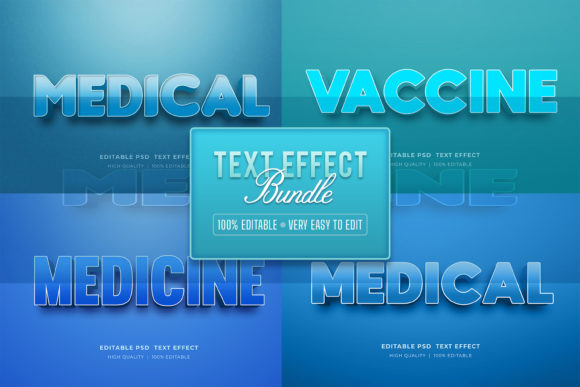
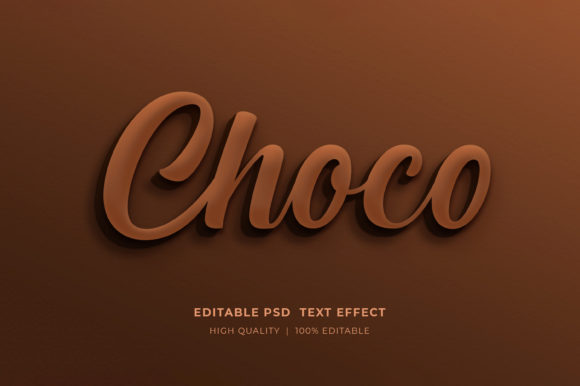
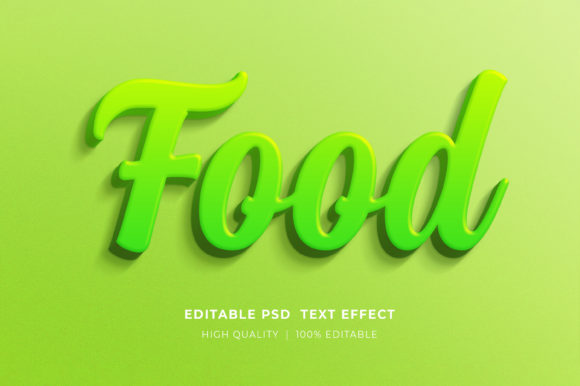
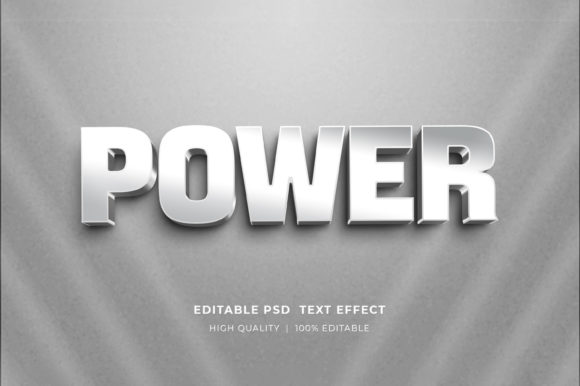
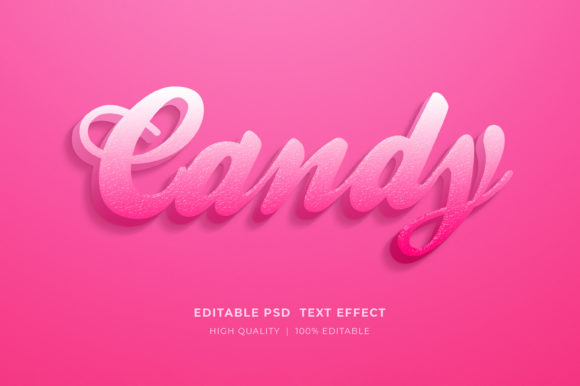
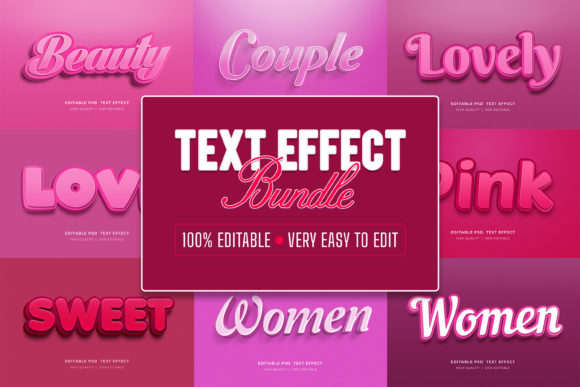
The Editable 3D Text Style Effect Bundle is a collection of ten distinct Photoshop (PSD) files designed to simplify the creation of three-dimensional text. Each file utilizes Adobe Photoshop’s Smart Object technology, allowing users to modify the text, colors, and certain elements without disrupting the underlying layer styles and effects. The primary appeal lies in its accessibility; users do not need advanced knowledge of 3D modeling software or complex Photoshop techniques to achieve polished results.
The bundle is delivered in a compressed ZIP format. Upon extraction, users gain access to well-organized PSD files. These files are structured with clear layer hierarchies, making it easy to navigate between background elements, lighting effects, and the text layers themselves. The resolution is typically high, ensuring that the output remains crisp whether used for digital screens or print materials.
Workflow and Ease of Use
One of the most significant advantages of this bundle is its straightforward editing process. The core functionality relies on Smart Objects, a feature in Adobe Photoshop that preserves an image's source content with all its original characteristics. To change the text, users simply double-click the designated Smart Object layer. This action opens a new tab within Photoshop. Using the Type Tool, designers can replace the placeholder text with their desired copy. Once the changes are saved and the tab is closed, the main document updates automatically to reflect the new text with all associated 3D effects, shadows, and textures applied.
This method significantly reduces the time spent on trial and error. Instead of manually adjusting bevels, embosses, drop shadows, and lighting angles for each project, the heavy lifting has already been done. The bundle supports RGB color modes, which is standard for digital design, and allows for easy color customization. Users can adjust hue, saturation, and brightness to match specific brand guidelines or aesthetic preferences.
Practical Applications
The versatility of the Editable 3D Text Style Effect Bundle makes it suitable for a wide range of projects. Here are several scenarios where these templates provide substantial value:
- Social Media Graphics: Creating eye-catching Facebook timelines, Instagram posts, or YouTube thumbnails where bold typography grabs attention quickly.
- Marketing Materials: Designing flyers, banners, and posters for events, sales, or promotions. The 3D effect adds depth and professionalism to printed collateral.
- Web Design: Developing headers, hero sections, or web banners that require distinctive typographic elements without heavy coding or custom graphic design.
- Print on Demand (POD): Designing T-shirts, mugs, and other merchandise. The high-resolution output ensures that designs remain sharp when printed on physical products.
- Publishing: Creating covers for KDP (Kindle Direct Publishing) books or eBooks where title treatment is crucial for marketability.
- Logo Presentations: Showcasing logo concepts in a realistic, three-dimensional context to help clients visualize the final brand identity.
Benefits and Considerations
When evaluating whether to incorporate this bundle into your toolkit, it is essential to weigh the benefits against potential limitations.
Key Benefits
Time Efficiency: The most obvious benefit is speed. What might take hours to create from scratch can be achieved in minutes. This is particularly valuable for freelancers managing multiple clients or agencies handling high-volume work.
Consistency: Using pre-built styles ensures a consistent look across different assets. If a campaign requires multiple graphics with the same text style, these templates guarantee uniformity.
Accessibility: Designers at all skill levels can use these files. Beginners can produce professional-looking work, while experienced designers can use them as a base for further customization.
Tradeoffs and Limitations
Software Dependency: These files require Adobe Photoshop. Users without access to this software or those preferring alternative tools like Illustrator, Affinity Photo, or Canva will not be able to utilize the Smart Object features effectively.
Customization Constraints: While the text and colors are editable, the fundamental structure of the 3D effect is fixed. If a project requires a highly unique or unconventional 3D style that deviates significantly from the provided templates, starting from scratch might be necessary.
File Management: Working with Smart Objects can sometimes lead to larger file sizes. Designers need to ensure they have adequate storage and processing power to handle multiple high-resolution PSD files simultaneously.
Who Is This Bundle For?
This resource is ideal for graphic designers, social media managers, marketers, and small business owners who need to produce high-quality visual content regularly. It is particularly useful for those who understand the basics of Photoshop but want to streamline their workflow. It is also a strong fit for Print on Demand sellers who need to iterate designs quickly based on trending topics or seasonal demands.
However, it may not be the best choice for pure 3D artists who require full control over geometry, lighting, and rendering engines. In such cases, dedicated 3D software like Blender, Cinema 4D, or Adobe Dimension would be more appropriate, albeit with a steeper learning curve and longer production times.
Making the Decision
Before purchasing or downloading the Editable 3D Text Style Effect Bundle, consider your current project needs. If you frequently create typography-heavy designs and find yourself repeating similar effects, this bundle can serve as a valuable time-saver. Evaluate the specific styles included in the ten PSD files to ensure they align with your aesthetic preferences. Additionally, verify that your version of Adobe Photoshop is compatible with Smart Objects and the file formats provided.
For those new to Photoshop, the bundle offers a learning opportunity. By examining how the layers and effects are constructed, users can gain insights into professional design techniques. This educational aspect adds long-term value beyond immediate project completion.
Final Thoughts
The Editable 3D Text Style Effect Bundle represents a practical solution for modern design challenges. It balances quality with convenience, allowing creators to focus on messaging and composition rather than technical execution. While it is not a replacement for custom 3D modeling in high-end productions, it is an excellent tool for everyday design tasks, marketing campaigns, and rapid prototyping. By understanding its capabilities and limitations, designers can make informed decisions about integrating these resources into their creative processes.
If you encounter any issues with file extraction or editing, most creators offer support through their profile pages. Providing feedback and ratings can also help improve future iterations of these design resources, fostering a better ecosystem for digital creators.